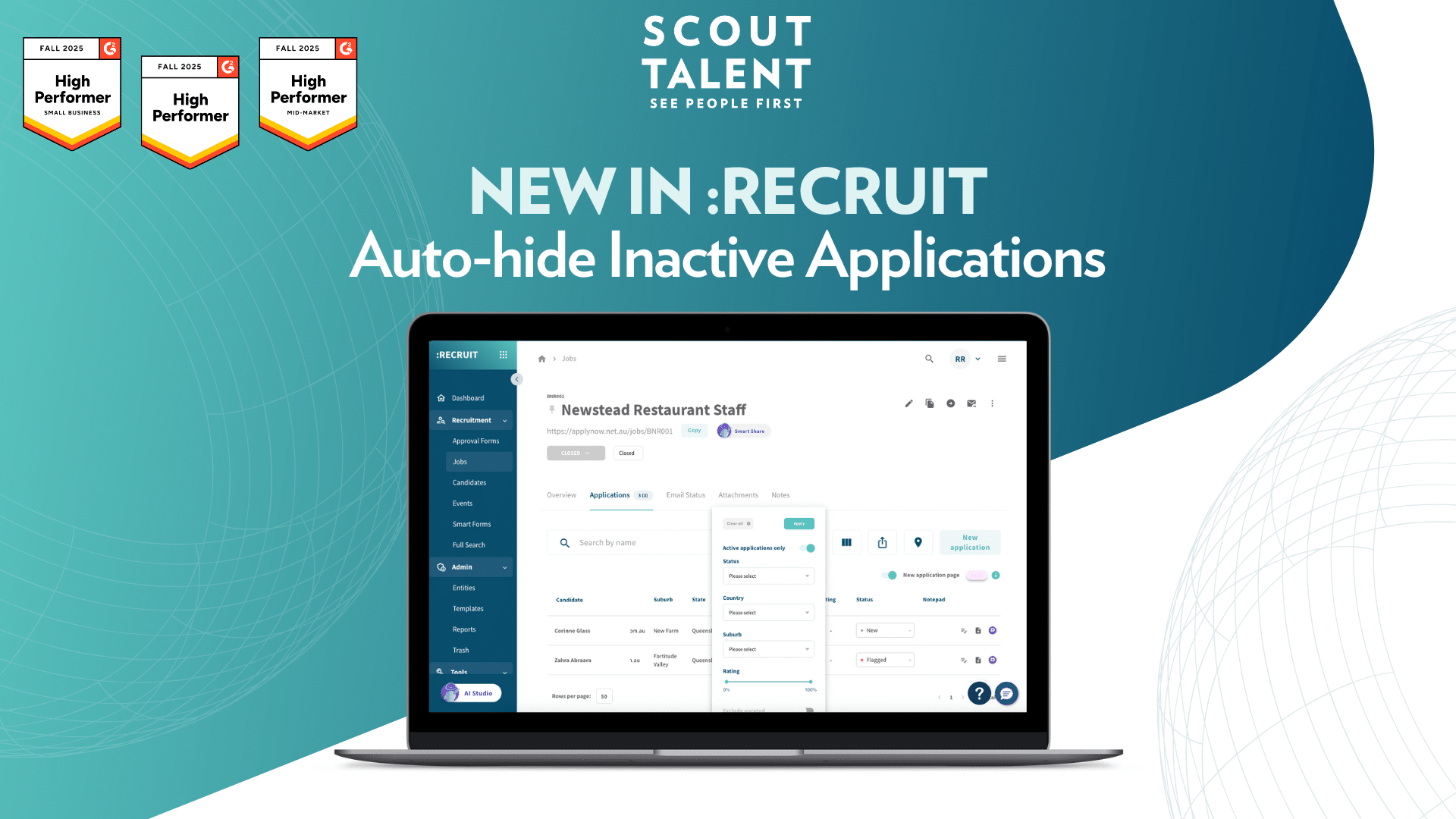
New in :Recruit: Auto-hide Inactive Applications

Simplify Application Review with Auto-hide Inactive Applications

Managing large volumes of applications can slow teams down, especially when withdrawn, ineligible, or unsuccessful candidates continue appearing in the list. These inactive entries create visual noise and force users to constantly re-filter their views to focus on candidates who still require action.

Today, we’re introducing Auto-hide Inactive Applications, a new feature that helps you keep your application tables clean, focused and easier to manage.


What’s New in a Nutshell

  • Active applications only toggle: Filter your table with a single switch to show only candidates still moving through the hiring process
  • Automatic hiding of inactive states: Applications marked as Successful, Withdrawn, Ineligible, Duplicate, and more are hidden instantly when the toggle is enabled
  • Smoother screening experience: Reduce manual filtering, cut down navigation steps and minimise missed active candidates

Auto-hide toggle screenshot


What This Means For Your Team

Auto-hide Inactive Applications enhances efficiency across high-volume and complex recruitment workflows:

  • Less Visual Clutter: Teams no longer need to scroll past large numbers of withdrawn or rejected applicants. Enabling the toggle reveals only candidates who still require assessment or action.
  • Reduced Re-filtering: Instead of applying manual filters multiple times a day, the toggle provides a quick way to focus your view and stay productive.
  • More Confident Workflow Management: By removing inactive applications from view, users are less likely to miss active candidates still awaiting a response.

A Deeper Dive: How Auto-hide Inactive Applications Works

This feature introduces a new toggle in the application table filter menu called Active applications only. When activated, the system evaluates each application based on its underlying state to determine whether it is active or inactive.

Active States (shown when toggle is enabled)

Applications remain visible when mapped to one of the following active states:

  • New
  • Saved
  • Feedback
  • Shortlisted
  • Offered role
  • Rated and ranked
  • Interview invited
  • Other

These represent candidates who are still progressing.

Inactive States (hidden when toggle is enabled)

Applications are hidden when mapped to any of the following inactive states:

  • Successful
  • Offer Accepted
  • Offer Rejected
  • Unsuccessful
  • Withdrawn
  • Ineligible
  • Duplicate
  • These represent completed or closed outcomes.

Users can disable the toggle at any time to return to a full application list.

If you’re unsure if a status should hide or not based on the mapped state, please contact our Customer Success team.


How to Get Started

  1. 1
    Open the application table for any job and click the filter icon at the top of the page
  2. 2
    Locate the Active applications only toggle in the filter menu
  3. 3
    Switch the toggle on to hide all inactive application states
  4. 4
    Switch the toggle off anytime to reveal all applications again

Frequently Asked Questions (FAQ)

What determines whether an application is active or inactive?

The system evaluates the application status’s mapped state. Any application linked to active states remains visible, while those linked to inactive states are hidden when the toggle is enabled.

Will this setting hide applications updated by automations?

Yes. Any application moved into an inactive state, whether manually or via automations, will be hidden when the toggle is active.

Can users customise which statuses are considered active?

They can ensure that any of their custom statuses are linked to the right inactive or active state by contacting the Customer Success team

Will this impact user permissions?

No. Users will only see applications they have permission to view. The toggle changes visibility when the filter is on, not access rights.


Ready to streamline reviewing your applications?

Auto-hide Inactive Applications helps your team stay focused on candidates who need attention and removes the noise from withdrawn or completed applications.

This saves time, reduces refiltering and supports a smoother review process.

Get started with Auto-hide Inactive Applications today and keep your candidate processing focused and efficient.

For more details or support, contact our Customer Success team

Related posts

Quality of Hire: A Holistic Approach to Long-Term Hiring

Tags
Share this blog
Sign up for our newsletter

Receive the latest industry news, exclusive event invites, and useful content straight to your inbox.

Related posts

Quality of Hire: A Holistic Approach to Long-Term Hiring

What Is Candidate Conversion Rate and How Do You Improve It?

For the Love of the Game: How Recruiters Can Fall Back in Love with Recruiting

Why Choose Scout Talent

“I’m aware of the silly tricks that those in the industry play, which is why we use Scout Talent instead of an agency! We’ve actually done A/B testing on Scout Talent vs a recruiter, and the quality was chalk and cheese- no kidding, you can quote me.”

– Melissa Kirby
Sharpe and Abel

Our Total Talent Acquisition Software

Recruitment Campaign Services
The right mix of expertise, structure, and care, our recruitment campaigns make hiring faster, easier, and more cost-effective

Employer Branding
Position your company as an employer of choice with a strong employer brand

Employee Engagement Surveys
Gain insights on how your people feel at work so you can boost performance, retention, and culture

Recruitment Process Outsourcing
Expert recruiters and proven processes to hire top talent efficiently and more cost-effectively

Learning Services
We design customised digital training, delivered through a powerful LMS that streamlines, tracks, and measures learning—building skills and boosting performance.

Key Benefits

Expert-led campaigns crafted with strategy and care to connect you with the right people quickly, easily and cost-effectively.
Combine authentic employer branding with engagement insights to create workplaces where top talent wants to belong and stay.
Access seasoned recruiters who work inside your business—bringing flexibility and proven processes without the cost or risk of extra headcount.
Show candidates and employees you invest in their future with development pathways that make your organisation a magnet for great people.
Why Choose Scout Talent

“I’ve been a user of Scout’s software for many years, working with both the full enterprise solution :Recruit and the lite :Essentials platform. I appreciate that Scout offers fit-for-purpose options to suit different business needs.


Scout’s ATS has been instrumental in driving efficiency and productivity. In a previous project …This transformation saved our team significant time… and eliminated room for error with its intuitive workflow and transparent features.


It’s a fantastic product, and we couldn’t be happier with the results.”

– Wendy Woodford
People and Culture Manager
Housing Trust

Our Total Talent Acquisition Software

:Recruit
Your AI-powered total talent acquisition ATS and CRM solution

:Recruit Essentials
Your AI-powered Lite version of :Recruit tailored for small organisations

:Onboard
Your digital contract creation

:Recruit Pro
Your AI-powered :Recruit + :Onboard, backed by human expertise, tools, analytics, and specialist support

:Engage
Your recruitment marketing and candidate pooling platform

Scout Learning
Your customisable LMS with specialist support

Scout Talent App
Your mobile application helping you hire on the go

Felix
Your AI-powered talent acquisition assistant

Key Features

Post once, publish everywhere, and track candidates from application to hire in a single platform.

Leverage AI to screen faster, uncover hidden talent, and craft compelling job ads that attract the right candidates.

Make confident hiring decisions with dashboards that highlight pipeline health, recruiter performance, and ROI.

Connect with job boards, HRIS, payroll, and more, keeping your recruitment process fluid and connected.