The McQuaig Job Survey: The 15-Minute Step That Makes Every Hire More Accurate

There’s a familiar moment in the hiring process, usually somewhere around the third or fourth interview, when a hiring team looks at each other and says some version of “wait, is that what we need for this role?” Have you ever sat in a room without real consensus on what you were actually looking for? It’s an uncomfortable moment, but it’s also a useful one. It means you’re finally talking about the position itself, rather than the resumes in front of you, instead of surfacing that gap three months later in the form of a hire who doesn’t fit, a role you’re backfilling, and a search you’re running all over again. Timing is what makes the difference. That same conversation is far more valuable before a single candidate has been sourced than it is once a search is already underway. That’s the entire purpose of the McQuaig Job Survey, one of the behavioural science tools built into every Scout Talent recruitment campaign. Whether you’re already partway through a campaign with us and wondering why we’ve asked you to complete one, or you’re weighing up how we run recruitment compared to other options, I want to walk you through what the Job Survey does, why it changes the outcome of your hire, and what you get from it. Key Takeaways Before diving in, here’s what you’ll learn: What a Job Survey is, a short questionnaire your hiring stakeholders complete to define what a role needs, before sourcing starts Why hiring teams often disagree on what a role requires, and why catching that early is far cheaper than catching it after a bad hire How the same benchmark shapes candidate screening, interview questions, and shortlist comparisons throughout a campaign What’s backing the science behind the assessment, and why that matters for trusting the result What’s included as part of a Scout Talent campaign, and how the whole process unfolds step by step What’s a Job Survey? A Job Survey is a short questionnaire that defines what a role genuinely needs, before you go looking for anyone to fill it. It takes 10 to 15 minutes to complete. It’s not filled out by the candidate, it’s completed by the people on your side: the hiring manager, and any other key stakeholders who are invested in how the role performs, a team lead, a department head, sometimes a peer the new hire will work alongside daily. Each person rates the behaviours the role demands, not the behaviours the job title implies, and not what an outdated job description says. That means weighing in on things like how competitive and goal-driven the role needs someone to be, how much of the job depends on working with people versus working through logic and detail, how fast-paced or steady the environment is, and how independently minded versus rule-following the role requires someone to be. Once everyone has responded, those answers are combined into a single target profile, a benchmark. From that point on, every candidate you consider is measured against that same profile, not against each other, and not against a hiring manager’s gut feel on the day. There’s no cap on how many stakeholders weigh in when you run a recruitment campaign with Scout Talent. If five different people are involved in the role, all five have the chance to complete one. It’s the same every time you run a new campaign with us, whichever position you’re hiring for next. I’ve used McQuaig products for close to twenty years now, and they’ve reliably helped me make better hiring decisions, both inside our own business and for the clients we work with. That track record is exactly why I built it into how we work as standard, not as an add-on you have to ask for, because it’s the step that makes every decision after it sharper. What Misalignment Problem Does the Job Survey Solve? The hiring teams I work with often don’t agree on what a position needs, and their Job Survey results are usually what reveals it. A hiring manager might picture the position as fast-paced and autonomous. The team lead who’ll work alongside the new hire might be picturing something far more structured and collaborative. Both are reasonable views. Neither has been tested out loud until the survey puts both answers side by side. I’ve seen this play out with clients, too. One was hiring a marketing manager who’d be responsible across a portfolio of brands and divisions, with stakeholders from each division involved in the decision. One stakeholder pictured someone broad and adaptable, a generalist who could flex across every brand. Another pictured someone more entrepreneurial, comfortable pushing new ideas and driving change. Neither was wrong, but they were describing two genuinely different people. It was only once we saw both answers side by side that the gap became obvious, and it gave the hiring team a real lightbulb moment. The temptation in that situation is to average the two out and look for someone who’s a bit of both, and that’s exactly the wrong move. What actually works is getting the team into a room to agree on which one the role really needs, rather than trying to please everyone. That gap is not a sign that anything has gone wrong. It’s completely normal, and it happens on nearly every hire where more than one person has a say. What matters is when you find it. Found in week one, in a shared conversation about behaviours and expectations, it’s a five-minute discussion that sharpens the brief. Found three months into a new hire’s tenure, when performance isn’t matching expectations and nobody can quite articulate why, it’s a much more expensive problem, in turnover cost, in team morale, and in the time it takes to run the search again. This is really the core idea behind the Job Survey: it takes disagreement that would otherwise surface mid-search, or after a bad hire, and catches it before sourcing even starts, when fixing it
AI in Talent Acquisition: A 6-Step Framework for Going AI-Native

Here’s something I’ve noticed after talking with HR teams across the US and Canada: almost everyone assumes they’re either way ahead on AI in hiring, or hopelessly behind. The truth is usually somewhere in between. Only 27% of organizations use AI specifically in recruiting today, even though 84% plan to this year. Most of the people reading this are early, not late. AI in talent acquisition ranges from using a chatbot to draft a job ad, to what’s now called AI-native recruitment: AI embedded across sourcing, screening, engagement, and reporting as one connected system. The gap between those two isn’t small: teams running the second version save an average of 8 hours per vacancy. Below, I’ll walk through where the market actually stands right now, and the 6-step framework I use to help teams make that jump. Key Takeaways Most teams use AI for isolated tasks, not a connected hiring process. Only 6% of leaders say they’re making real progress on human-AI collaboration, even though 85% call it critical (Deloitte, 2026 Global Human Capital Trends). Only 26% of job applicants trust AI to evaluate them fairly, even though 52% believe it’s already happening (Gartner), exactly why human judgment can’t be optional in an AI-native process. Embedding AI properly happens in stages: writing and screening first, then talent pooling, engagement, and decision-making. Human judgment stays central at every step. AI surfaces information and clears the admin; your team still makes the call. You don’t need more headcount or a new tech stack, just a redesign of how the tools you already have fit together. What Does “AI in Talent Acquisition” Look Like Done Well? In my conversations with HR leaders across North America, I’ve noticed that when people say “we use AI in hiring,” they usually mean one of two very different things. Sometimes it means opening a chatbot to draft a single job ad. Other times it means AI running across sourcing, screening, engagement, and reporting as one connected system – what’s increasingly being called AI-native recruitment. The second version is where the real time savings and better hiring decisions come from, because it changes what your recruiters spend their time on, not simply how fast they complete the same tasks. Here’s the question I ask every team I talk to: are you asking “where can we use AI?” or are you asking “if AI already existed, how would we build this hiring process today?” The first question gets you a faster version of your old process. The second gets you an AI-native one. A quick note on terms, because this one gets confusing fast: in this piece, “AI-native” describes a recruitment process – AI built into how you hire. That’s a different question from whether the people you’re hiring (or already employ) are AI-native in how they think and work. We cover that second question, in depth, in our guide AI-Native Hiring: A Complete Guide – including how to screen for genuine AI fluency versus surface-level prompting, and how our CEO, Andrea Davey, approaches this inside Scout Talent itself. This blog stays focused on the process side: what your hiring workflow looks like once AI is built into it. AI-Native vs. AI-Assisted: What’s Different Not every platform that mentions AI is AI-native, and that distinction is worth being precise about before you commit to either a process or a purchase. HR industry analyst Josh Bersin has described the market splitting into systems with AI bolted on, AI layered on top, and AI built in from the start (HRD Connect Q&A with Josh Bersin). Only that last kind earns the label. AI-assisted (bolted on) AI-native Where the AI lives A handful of standalone features: a parser, a chatbot, a scoring add-on Built into the core, running through sourcing, screening, engagement, and reporting What it does Assists a recruiter who has to prompt it at each step Surfaces candidates, drafts content, and flags next steps without being asked Your data Reads whichever slice a single feature was built for One model of your candidate data powers every workflow What changes for your team The same tasks, done somewhat faster What your team spends time on shifts toward judgment and relationships How it improves New features get attached one at a time The system gets sharper as your hiring data grows This distinction matters. A bolted-on platform can technically touch each of the six steps below, but it can’t run them as one connected system – that’s the real difference between using AI for isolated tasks and running an AI-native process. An AI-native platform is what makes that process possible. In a scripted demo, the two can look almost identical. The gap shows up in daily use, when the bolted-on version still needs a recruiter driving every click, and the native version is already surfacing candidates and clearing the busywork so your team can spend its time on the calls only a person should make. How to Tell If a Recruiting Platform Is AI-Native “AI-native” is a claim any vendor can put on a homepage. Here’s what I’d ask in a demo, whoever you’re evaluating: Ask to see it act without a prompt. Have the platform surface a candidate, draft a follow-up, or flag a stalled application on its own. A bolted-on feature waits for a click. Native intelligence moves without one. Ask where the AI lives. A resume parser and a chatbot are AI-assisted. AI touching your job ads, your screening, your talent pool search, and your candidate communications is native. Ask what your team stops doing. If the honest answer is “the same tasks, just faster,” that’s AI-assisted. If the honest answer is “we don’t do that task by hand anymore,” that’s closer to the real thing. Ask how it’s priced and packaged. Per-seat software with three separate paid add-ons for “AI” usually signals bolted-on. A platform built around the AI from the start usually isn’t sold that way. Ask what happens when it’s not sure. Job applicants are
How Do You Spot Resume Inflation Before It Costs You a Bad Hire?

Table of Contents What Is Resume Inflation? Where Does Self-Promotion End and Inflation Begin? How Do You Test Claims in the Interview Room? What Does Resume Inflation Actually Cost Your Business? How Should You Handle Resume Inflation as a Hiring Manager? Frequently Asked Questions Introduction A resume is a marketing document, and like any marketing document, it’s built to put the best possible spin on the facts. Most candidates do this instinctively, and most of the time it’s harmless. The risk starts when that shine crosses into inflation: a stretched job title, a padded metric, a personal summary that reads more senior than the experience behind it actually supports. Left unchecked, that gap doesn’t show up in the interview. It shows up months later, once someone’s already in the role and the team is quietly covering for what isn’t there. Knowing where self-promotion ends and inflation begins, and how to test for it before an offer goes out, is one of the most useful skills a hiring manager can build. What Is Resume Inflation? Resume inflation happens when someone overstates their experience, seniority, or achievements to look more qualified than they are. That might mean stretching a job title, padding a metric, or puffing up a personal summary. It’s not the same as resume fraud, which is outright fabrication. Most of the time it’s not dishonesty. It’s someone trying to look ready for a step they haven’t quite taken yet. A senior staffer applying for a director role, or someone who’s managed a team for six months, describing themselves like they’ve been doing it for years. I don’t judge that. It happens just as often with people already in the role, stretching how long they’ve actually been doing the job. In my experience, it shows up in three places most often: The cover letter, if there is one The personal summary at the top of the resume The screening question responses These three don’t always agree with each other. A candidate might inflate their screening answers while their resume stays flat, or the reverse. If you spot that mismatch, flag it before the interview. Where Does Self-Promotion End and Inflation Begin? For a marketing, sales, HR, or even engineering role in a city market, you could be looking at 50 to 80 applicants or many more. Candidates know their wording has to cut through that volume, and some of what comes out is inflation, some of it is just competent self-presentation. Almost everyone inflates their resume to some degree. If you’re screening for zero inflation, you’ll screen out most of the market. Check LinkedIn alongside the resume. It’s a public record in a way a private application isn’t, so what someone’s comfortable posting for anyone to see often tells you more than what they’ve submitted to you directly. One pattern I run into constantly: someone calling themselves a “seasoned” or “well established” head of marketing eighteen months into the title. They’re entitled to use the language, but it’s a stretch on seniority, worth naming to yourself before the interview. Another flag is a resume that reads like a job description. If someone lists the duties of a marketing officer instead of what they actually achieved in that role, you’re not learning whether they did the job well or badly. You’re reading a task list. Metrics are a different story. I’m not fussy about a candidate presenting their numbers with confidence, because a number is checkable. “Increased sales by 40%” or “led a team of 20” will hold up or fall apart the moment you call a reference, so save your energy and interrogate those claims live instead. You can usually tell within a few minutes of conversation whether someone has actually run a large team before. Tools like AI Screen in :Recruit haven’t changed how thoroughly you need to check a candidate. They’ve changed how fast you get there. How Do You Test Claims in the Interview Room? When something feels off, go straight to a situational question. Give the candidate a real scenario- pushback from a prospect on a call, falling behind on KPIs with a week left in the quarter- and ask how they’d handle it. Stories fall apart more often than you’d expect, and rarely in one dramatic moment. The first sign is usually waffling. The candidate doesn’t answer the actual question, whether they misread it or lost their thread, and a question that should take thirty seconds stretches into eight minutes of talking around it. Telling nervous people apart from dishonesty is hard, and I don’t always get it right. I’d rather a candidate be nervous than not, because it tells me they’re taking the process seriously. When that happens, simplify the question or nudge them back on track. Overconfidence reads differently. A quick, almost dismissive “yeah, I’ve done that before” with nothing factual behind it is worth pushing on. Ask what a typical day in that role actually looked like. If they can’t give you anything concrete, that’s your signal. One question I lean on constantly, in screening calls and face-to-face, is asking a candidate to walk me through their current day-to-day, or what they picture the day-to-day of the role we’re hiring for. Inflation shows up here fast. After roughly 70 of these interviews, you start to recognise a sales process someone’s actually run, rather than one they’ve rehearsed, and specific metrics and KPIs sound different from borrowed ones. The same test works for a 30-60-90 day plan with more senior candidates. If they can’t articulate what they’d actually do in the role, they don’t have a real sense of what they’re walking into. That said, this is also the question that gets performed. Some candidates over-detail an hour-by-hour breakdown of their first quarter. Others stay so vague it says nothing. A well-calibrated answer sits in the middle: spending the first month meeting the team one on one and understanding their roles, rather than a vague “get to know everyone” or an itemised
The Real Cost of a Vacant Position: Why the Empty Chair Runs Deeper Than the Budget

Every business has an empty chair somewhere. A desk gone quiet since someone left. A shift nobody’s covering. A role that’s sat “in progress” on the org chart longer than anyone wants to admit. Some people see that chair as a saving. No wages going out, no harm done. I disagree. Talk to a sales team missing its closer, or a finance function running one person short, and you’ll hear a different story. Missed targets. Team members picking up work that isn’t theirs. Decisions stuck because the person who should be making them hasn’t been hired yet. Sacha and I have both seen what that empty chair actually costs, why some vacancies cost far more than others, and why many organisations only notice the damage once it hits a board meeting. How Is That Empty Chair Affecting Your Business? There’s no single answer to this, but I could look at a P&L compared to a business’s budget or forecast and see it quite clearly. If they’re down on sales headcount, revenue is likely to be down too. From there you start to see the flow-on effects: profitability, growth plans, everything. If they’re missing someone in the support team, you’ll start to see delays or lags in service delivery, and in business processes as well. An empty chair in the finance team means monthly results aren’t being reported as efficiently, and important things get missed. Altogether, it slows down the momentum of the business. So what you’d start to see is declining results or missed targets, and challenges with team morale. Team members feeling overworked, maybe starting to feel a little resentful. That can impact your culture. We recently recruited for an Indigenous health organisation where the cost of a vacancy lands well outside the org chart. They need nurses available to fill shifts, and if they don’t have those nurses, they can’t open the medical facilities the community relies on. This isn’t corporate life, salespeople selling products. It’s nurses helping administer medicine and care to the elderly, to children, to pregnant women, to people in need. The cost of an empty chair can reach a long way past the business it sits in. Why Do Vacant Roles Cost More in Remote and Regional Communities? A vacancy reads as a saving because the salary line is the only part of it that’s easy to see. In a metro business you can hold that assumption for a while. In regional and remote health, it collapses almost immediately, and that’s what makes these roles worth looking at closely. They strip out every option a city business quietly relies on. In a city, if a role goes unfilled, you find a way to cope, spread the work around, get someone in temporarily. Out in a very remote community, that option doesn’t exist. There’s no GP down the road. No clinic to send people to instead. Some of these places you can only get to by four-wheel drive, or by plane, and plenty of the time the phone and internet aren’t reliable either. So if a nurse role sits empty, that’s not a gap that gets absorbed somewhere else. It can mean nobody’s providing services there, full stop. One person is the difference between a community having support or not having it. Why are these roles so hard to fill? Housing’s the big one. Some organisations can offer it, but it might be shared accommodation. There’s not always space for family members, and pets are often not allowed- things that rule people out before they’ve even considered the job itself. Beyond housing, you need someone with the right skills and the resilience for that kind of environment. It requires a certain kind of person, and that’s where behavioural testing earns its place. It tells you about someone’s working style, whether they’re suited to the remote environment and the complexities of the role, rather than just whether they’ve got the right experience. When we take these roles to market, we talk about the challenges as openly as we talk about the rewards, the connection to community, the sense of purpose, all of it. Because if someone takes the job with an unrealistic picture of what it involves, they’re not going to last. Transparency plus the right assessment is what makes these roles stick. Finding someone who fits the environment, not just someone who fits the job description. What Does an Unfilled Position Really Cost Beyond the Salary? When you don’t have the person in the seat, you’re benefiting in that you’re not paying the salary, but the cost is so much greater than that benefit. It depends on the role, but generally, even for a not-for-profit or a healthcare organisation, it comes back to lost revenue, or lost opportunity to deliver services that contribute to revenue. That’s one of the highest costs. Then you start to think about the cost of burnout in the team covering the gap, and the cost of turnover if those people move on. It’s also worth saying that if a role gets filled by the wrong person, you’re often looking at nearly the same flow-on effects as leaving it empty. The cost of a bad hire is widely publicised, two to four times that person’s annual salary, and that holds up. Sometimes we take that too far and get nervous about hiring at all, so we slow right down. I’m a proponent of hire slow, fire fast. Be intentional with your hiring decisions; don’t bring anyone into the business who isn’t aligned with your cultural values, because that creates a big headache of its own. There’s a limit to it though. You can overthink a hiring decision to the detriment of your organisation, and that’s exactly where the cost of the empty seat compounds. This is where quality of hire matters as much as speed. The sweet spot is leveraging tools and methodologies that help you attract and appoint the right person in a time-efficient way, backed by something that
Inside Remote Recruitment: What It Really Takes to Hire in Rural Communities

Recruiting for a role in a remote community is nothing like recruiting for one in the city. The pool is smaller, the stakes are higher, and getting it wrong can leave a whole community without a nurse, a pharmacist or a teacher it needs. It’s a clear sign of the regional workforce shortage playing out in real time. I have spent the last few years building my career around this challenge, working closely with organisations particularly across the Kimberley region in WA, to fill some of the hardest roles in the country. These are the lessons I wish every client understood before starting a search for a remote role. A Quick Snapshot The roles I work on most are based around the wider Kimberley region, and they’re a genuine mix. There’s strong demand for clinicians, as well as allied health professionals. Remote nurses, child health nurses and child health managers come up again and again, alongside a recent run of executive-level and senior manager positions. In terms of industries, it is largely medical services and education, particularly the RTO (Registered Training Organisation) education sector, reflecting how much of this work sits within clinical and allied health recruitment. Why Remote Communities? This wasn’t a calling I arrived with. I fell into these campaigns by chance, and the challenge won me over. Watching my own assumptions get overturned is what kept me there. I assumed remote communities would be very regional, stranded, in the middle of nowhere. Travelling through the Kimberley changed that. I found close-knit communities with real lifestyle benefits, and organisations with a strong sense of what they were trying to build. Being part of that, helping convey their message and contribute to what they give back to the community, is what has kept me invested. Is Housing a Real Barrier? Housing is the first thing anyone recruiting in remote Australia will mention, and it’s been one of the biggest issues we see, sometimes entirely out of our control. Even when candidates are interested in a role, a lack of available housing causes them to turn down offers. Temporary accommodation is scarce and increasingly expensive, and for those hoping to buy property long term rather than rent, the maths gets harder still. Some organisations offer subsidised housing from their own property lists, but that only goes so far. The temporary accommodation gap makes it worse. Candidates need somewhere to land before they can build a life, and that first step has become harder to take. Even in the last year, rental prices in some of these communities have doubled, making people rethink whether the move is worth it. Underneath the practical barrier is a bigger question candidates are quietly asking themselves: is this sustainable? Can they actually put down roots here, or will they test the water and leave? On the government side, there is a regional locality allowance that offers a modest incentive, though broader relocation incentives are still limited. The real fix is structural: building infrastructure, providing more housing, and unlocking land. That conversation also has to include the added complexity of land availability for Indigenous communities. How Do You Spot Red Flags And Green Flags When Screening Candidates? A large percentage of the remote candidate pool is unlikely to last six months, so your screening process has to work differently. My approach to screening: I lean heavily on lived experience over online research That word of mouth insight gets built into early conversations with candidates This gives them a realistic picture of the community and what relocating actually involves, well before it gets fully explored in the second round Red flags: Candidates who arrive at the first round without having done their own research Candidates who only start engaging with the reality of the move once they’re actively house hunting Hesitation or second thoughts that surface late, especially around pre-employment checks, after a client has planned to offer Green flags: Energy and appetite for change People looking for a new chapter Candidates who arrive expecting a different life, energised rather than daunted by it Comfort with the contrast in climate Why Do City Candidates Choose Remote Roles? The people applying to these remote roles know clearly where they stand. Many are coming from metro areas where they feel saturated, where the work doesn’t feel like it contributes enough or makes sense to them personally. There is also a simple lifestyle calculation at play. People with families in the city, running errands, dropping kids at school and all of that, could spend 30 to 40 minutes going around, whereas in rural locations like Broome it is all within a 10-minute radius. No traffic, no long commute, more time back in the day. How Do You Find The Right Culture Fit? In a small community, a bad hire ripples much further than one team. There is a misconception I have seen play out more than once. The initial instinct on these roles is to find someone who can go there and make a change, and that is exactly what these communities do not want. They are not looking for someone parachuting in with the intention of fixing what is “struggling.” They are looking for people with the right skills and behavioural traits who can contribute in a way that respects what is already working. Communities are cautious about who they bring in. Someone with a high corporate profile going in with a strategy deck, trying to force change, does not work well. Life in these communities tends to be laid back and unhurried, and a personality that pushes hard against that pace can affect the whole team dynamic, beyond just their own role. The pattern is consistent when the fit is wrong. People who go in intending to change things tend not to last long, because they don’t feel like they’re contributing or creating an impact. The people who thrive are the ones who come in ready to contribute on the community’s terms, not their own. What Do
New in :Recruit – Revamped Talent Landing Pages
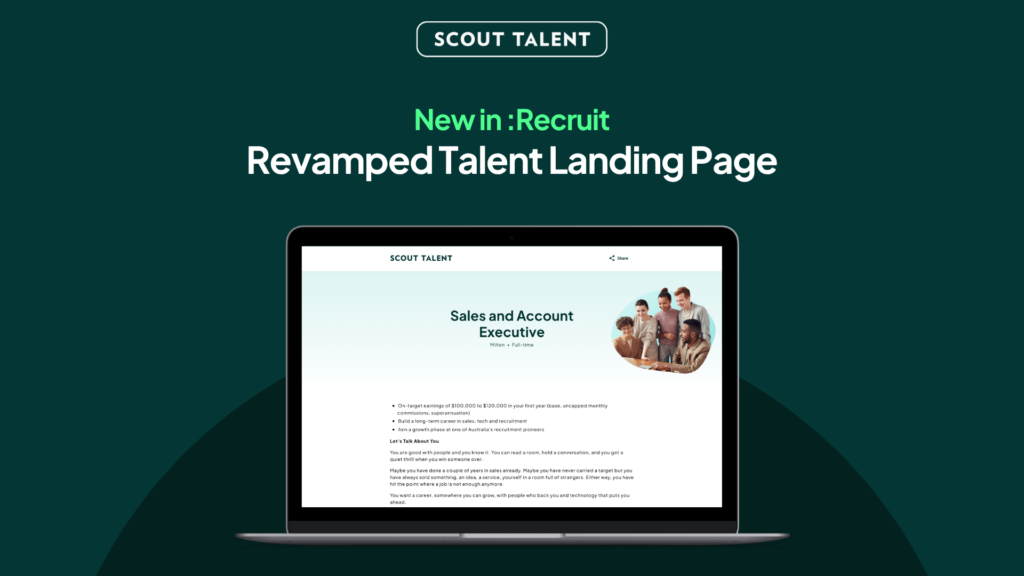
A better first impression for every role Your job landing page is often the first real impression a candidate has of your organisation. But older landing pages can look dated, feel inconsistent from one device to the next, and create barriers for candidates who rely on assistive technology, which means strong candidates may lose interest before they ever reach your application form. Today, we’re launching the new Talent Landing Page (TLP), a refreshed, accessible, brand-led design that helps your roles make a stronger first impression and gives every candidate a smoother path to apply. What’s New in a Nutshell Your employer brand, front and centre: A modern layout and design reflects your organisation, its values and its brand. Accessible by design: Built to WCAG accessibility standards, so more candidates, including those using assistive technology, can read your ad and apply with confidence Faster and consistent everywhere: A quicker, cleaner page that looks and works the same across desktop, tablet, and mobile A smarter, faster apply experience: Candidates can auto-complete their details from an uploaded resume, easy-complete from Seek and Indeed, and use Smart Response for helpful feedback on their screening answers before they submit Why We Built the New TLP Attracting the right candidates starts well before the application form. The look, clarity, and accessibility of your job landing page all shape whether a candidate decides your role is worth their time. That is why Scout Talent has continued to invest in the candidate-facing experience, not just the tools your team uses behind the scenes. The new TLP builds on that direction. Rather than presenting your roles on a dated, one-size-fits-all page, the new design puts your employer brand first, meets modern accessibility expectations, and loads faster and more consistently across devices. It is not a change to your screening questions or application process. It is a better home for the roles you are already advertising, designed to help you attract and convert more of the right candidates. What This Means For Your Team The new TLP delivers three key improvements to your candidate attraction: A stronger employer brand: Your header image, About Us content, and optional video help each role feel like your organisation, not a generic template. A more branded, professional page helps you stand out and build trust with candidates early. A more inclusive application experience: The page is built to WCAG accessibility standards, with features such as keyboard navigation, skip links, and a clear heading structure. This widens the pool of candidates who can comfortably engage with your roles and helps you meet growing accessibility expectations. A map is also included to ensure candidates can quickly narrow down a job’s location. A smoother, smarter path to apply: On a faster, mobile-friendly page, candidates can auto-complete their details from an uploaded resume, easy-complete from Seek and Indeed, and get AI feedback on their screening answers with Smart Response. This reduces drop-off and lifts the quality of the responses your team receives. How to Get Started The new TLP is set up for your organisation by our team, so your branding is applied correctly before it goes live. Getting started is simple: 1 Explore the new design so you can see how your roles could look 2 Gather your branding: your header image, brand colours, About Us content, and an optional About Us video or Image 3 Share your design preferences with your Customer Success contact 4 Confirm your design, then we set it up for your organisation 5 Your new Talent Landing Page goes live across your job advertisements Frequently Asked Questions (FAQ) Do I need to do anything to switch to the new design? Yes. The new TLP is set up per organisation so your branding is applied correctly before it goes live. It is not a switch you turn on yourself. Contact your Customer Success team to get started and they will guide you through it. Will this change my screening questions or application process? No. Your jobs, screening questions, and workflows stay exactly as they are. The new TLP changes how your role is presented to candidates, not how you screen or manage applications. Is the new design accessible? Yes. The new TLP is built to WCAG accessibility standards, with features such as keyboard navigation, skip links, and a clear heading structure. This helps more candidates, including those using assistive technology, read your advertisement and apply. Does it work on mobile? Yes. The page is responsive and designed to look and work consistently across desktop, tablet, and mobile, so candidates get the same quality experience wherever they apply. Can I include a video? Yes. The About Us section supports an optional YouTube or Vimeo video alongside your written content. A video is not required, so you can choose whether to include one or replace it with an image Does the new TLP include Smart Response and quick-apply features? Yes. The new TLP brings the smarter apply experience together in one place. Candidates can auto-complete their details from an uploaded resume, easy-complete from Seek and Indeed, and use Smart Response to get AI feedback on their screening answers before submitting. The result is a faster application for candidates and clearer, more complete information for your team. Will my existing job links still work? Yes. Your job advertisement links continue to work. Once the new TLP is set up for your organisation, those same links present your roles using the new design. Ready to give your roles a stronger first impression? The new Talent Landing Page helps you attract more of the right candidates with a modern, accessible, brand-led design, while keeping the jobs, questions, and workflows your team already relies on. Make a better first impression on every role with the new Talent Landing Page. For more details on setup and best practices, contact our Customer Success team
Quality of Hire: A Holistic Approach to Long-Term Hiring

Picture a talent acquisition team that’s smashing every deadline. Roles get filled fast, requisitions close on schedule, time to fill looks great on the dashboard. Then six months later, several of those hires quietly aren’t working out, and nobody flagged it early, because the only thing anyone was tracking was how fast the seat got filled. I question any organisation that is fully focused on time to fill, or KPIs or numbers. Obviously requisitions have to be filled; I get that, but if that’s all you’re focused on, you’re going to lose people anyway. I also question any outsourced organisation, us included, or any recruitment agency, that’s just filling roles for the sake of filling roles. We’re not understanding what the purpose is. Finding the right candidate, finding the right fit, that’s the point. So why does time to hire get tracked so religiously while quality of hire almost never does? I think it comes down to visibility. Time to fill, speed of hire, is an internal thing. The market’s not exposed to it. Candidates don’t care. Other organisations don’t have any visibility on what those KPIs are internally. It matters to leadership, it matters to heads of talent acquisition, because they’re seeing that as an efficient process, and there’s a cost to a role not being filled. So from a leadership and finance perspective, that looks good on paper. But the quality of hire that comes out into the market. That’s your reputation. Candidates who leave an organisation might say something about their previous employer, and that trickles out. Key takeaway: Quality of hire is a measure of whether a new employee delivers real, lasting value through performance, cultural fit, and retention, rather than simply how quickly the seat got filled. Time to hire is an internal efficiency metric. Quality of hire is what the market actually sees. What Does Quality of Hire Mean? Quality of hire is a measure of whether a new employee delivers real, lasting value through performance, cultural fit, and retention, rather than simply how fast the role was filled. Unlike time to hire, which tracks internal process speed, quality of hire reflects outcomes the market and candidates actually experience. Quality of hire, for me, starts with alignment. Is the person in the right environment in terms of culture and values, does it genuinely align with them, and does it confirm what you saw in the interview process? That’s the definition I come back to once someone’s had a positive experience getting onboarded and ramped up. Ask most talent acquisition teams to define quality of hire, though, and you’ll get a range of answers. If it’s culturally aligned and the values align, that new hire will probably start making a difference in the organisation within their first three to six months. It’s not just about being transactional, showing up each day. A salesperson doing fifty calls a day and going home satisfied isn’t the same as a salesperson actually making a difference. One’s just activity, the other’s impact. That’s the distinction worth noting. Time to hire and cost per hire measure the process. Quality of hire measures the outcome, and it’s historically been the hardest of the three to pin down. It’s fluid, because it really depends on the role. Quality of hire for a sales organisation means how much revenue someone brings in, and how quickly. Whereas for a back-office or operational role, the results might not bear fruit until the following year. But you can see the groundwork they’re laying, and they’re communicative about it. Take someone in marketing leading a rebrand. You don’t really know how good that rebrand is until it’s launched and you see how the market actually responds to it, sometimes six months down the track. But you can still see the value in the groundwork they’re doing along the way, even before the result is in. Key Quality of Hire Metrics: The Formula and How to Calculate It Ninety-day retention comes up constantly as an early signal, and I back it, but with a condition attached. What’s important in those first three months is you’ve actually got to look after the new joiner. Some people throw a candidate in the deep end, or rely too much on process, too systematic. But the leader and the team surrounding that new individual just have to care about that person. Whatever that cadence is- regular one-on-ones early, less as they get more independent, but a regular check on how they’re doing, and knowing they can come to you with questions. Once you get to that ninety-day mark, that person should feel like they’ve been looked after, and that’s also a reflection on the organisation, not just being left to do your job. Ninety days cuts both ways. It’s also long enough to know if something’s genuinely wrong, whether that’s cultural, performance-based, or you just got it wrong. This is the bit most teams skip. Everyone talks about quality of hire like it’s a feeling you get, and to be fair, a lot of it is, but if you want to actually track it and compare it over time, you need a number, not just a gut sense. There’s no single formula everyone agrees on, because it really depends on what your organisation is set up to measure. Most credible versions land on the same two foundations: Crosschq’s benchmarking, for instance, runs on performance and retention. Here’s the version I’d point a team towards: a weighted average of a few post-hire indicators, each scored out of 100: Quality of Hire = (Performance Score + Retention Score + Hiring Manager Satisfaction Score + Time-to-Productivity Score) ÷ number of indicators used Performance score – their rating at the first formal review, turned into a percentage. A 4.4 out of 5 becomes 88. Retention score – 100 if they’re still there at the 12-month mark, less if they’ve already gone. Hiring manager satisfaction – just ask the hiring manager how satisfied they are with the
What Is Candidate Conversion Rate and How Do You Improve It?

Candidate conversion rate is the percentage of candidates who move from one stage of your hiring funnel to the next, and it is the clearest way to measure whether your recruitment process is actually working. You can be posting roles, getting applicants, even making hires, and still have no real idea if your recruitment process is actually working well or just working. That is the gap most in-house teams operate in. You know the outcome. You filled the role, or you didn’t. But you don’t know how efficiently you got there, where you lost strong candidates, or what needs fixing. That is exactly what candidate conversion rate answers. When I look at candidate conversion rate, I am not treating it as a reporting metric. I am treating it as a diagnostic tool within the broader recruitment funnel. It shows me how candidates move through each stage of the hiring funnel and where things are breaking down. Without it, you are guessing. With it, you can see exactly what is happening inside your talent acquisition process and what to improve next. Key Takeaways Candidate conversion rate measures how efficiently candidates move through your hiring funnel Understand where your recruitment process is breaking down by analysing your candidate conversion rate Application volume alone does not indicate hiring success because it does not show what happens after candidates enter the funnel Each stage of the process tells a different story about hiring performance Even small improvements in conversion rates can have a significant impact on hiring outcomes. What is Candidate Conversion Rate? Candidate conversion rate is the percentage of candidates who progress from one stage of the recruitment funnel to the next. It measures how efficiently your process moves candidates forward, not just how many you have sitting at each stage. If I am looking at my recruitment funnel properly, I should have conversion metrics across every transition point, from job ad view to application, application to screening, screening to interview, and all the way through to hire. What makes candidate conversion rate valuable is that it shows movement. It tells me how well each part of the process is doing its job, rather than just showing static numbers. Why Conversion Rate Matters More Than Application Volume Application volume is often treated as the goal, but it is only ever an output, not the outcome that actually matters. The outcome is a successful hire. I can have hundreds of applications and still fail to hire the right person. In that case, the conversion rate to hire is effectively zero, regardless of how strong the top of the funnel looks. What the candidate conversion rate gives me is the full story of my recruitment process. If I want to diagnose a problem or improve hiring funnel efficiency, application volume tells me almost nothing. Conversion rate, on the other hand, shows me exactly where candidate drop-off is happening and why. I have seen this play out clearly in high-volume recruitment. For example, a client of ours was hiring multiple baristas. Whilst looking at historical recruitment funnel metrics, it allowed them to work backwards from the hiring target. If four hires came from one hundred applications, then hitting ten hires means planning for around four hundred applications. That is not guesswork. That is using conversion data to build a predictable hiring plan. This is where conversion rate shifts from a reporting number to a decision-making tool, and it naturally leads into how you calculate and track it properly. How to Calculate Your Candidate Conversion Rate The Basic Formula Candidate conversion rate is calculated as candidates who progressed divided by candidates who entered that stage, multiplied by one hundred. It is a simple formula, but it becomes powerful when applied consistently across every stage of your recruitment funnel. How to Calculate the Conversion Rate at Each Funnel Stage Each stage in the funnel has its own conversion rate, and together they form your candidate pipeline conversion rate. Job posting conversion rate is calculated by dividing applications received by job ad views. Candidate to screening conversion rate is the number of screened candidates divided by the total applications. Screening to interview conversion rate is the number of interviewed candidates divided by the number of screened candidates. An interview to offer conversion rate is offers made divided by candidates interviewed. Candidate to hire conversion rate is offers accepted divided by offers made. Each of these numbers represents a different part of your process, and each one highlights a different potential issue or opportunity for improvement across your talent acquisition process. A Worked Example for an In-House HR Team To make this practical, consider a mid-sized business hiring for a role. If five hundred people view your job ad and fifty apply, that gives you a ten per cent job posting conversion rate. From those fifty applications, if twenty are screened, that is a forty percent candidate to screening conversion rate. If twenty screened candidates become eight interviews, that is another forty per cent conversion. From those eight interviews, if three offers are made, that results in a thirty-seven point five percent interview to offer conversion rate. Finally, if two of those offers are accepted, that gives you a sixty-six point seven percent candidate to hire conversion rate. Looking at this as a whole, I am not just seeing isolated numbers. I am seeing how the funnel behaves, where it is performing well, and where there may be inefficiencies or candidate drop-off points that need attention. Recruitment Conversion Rate Benchmarks: What Good Looks Like For mid-market businesses, you can use the metrics below as conversion rate benchmarks. Views → Applications 5–15% Applications → Screened 15–30% Screened → Interview 30–60% Interview → Offer 20–40% Offer → Hire 70–90% Your own historical data is the best indication of whether your conversion rates are improving or not. The earlier you start measuring, the quicker you can begin to identify recruitment funnel gaps and optimise from there. How to Read Your Conversion
For the Love of the Game: How Recruiters Can Fall Back in Love with Recruiting

Introduction Recruiting is one of those professions where the passion that brings people to it can quietly disappear under the weight of everything around it. What starts as genuine excitement about connecting people with opportunity can, over time, become just another inbox to manage. My name is Hannah, and I work as a CSS Specialist at Scout Talent. My colleague Sam, CSS Team Leader, joins me in this piece. Between us, we work directly with the recruiters and hiring managers who use Scout Talent’s platforms every day, and what we share here comes straight from those conversations. The clients I work with are incredibly varied. Schools, education boards, construction companies, finance teams, healthcare organisations. I’m never really in the same spot twice, which keeps it interesting. What I see, day in and day out, is what recruiting actually looks like on the ground. Not the polished version. The real version. And what I’ve noticed is that a lot of teams are running on empty. What We’re Seeing on the Ground The most common thing I hear when I first start working with a client is some version of the same story. They’re exhausted. They’ve just come off a rough week. They’ve screened hundreds of candidates manually, they’re juggling a reduced team, and sometimes it’s one person carrying the load of three. You can almost see it in the call. The passion for recruiting doesn’t just disappear overnight. It fades gradually, under the weight of everything that piles up around the actual work. And by the time a lot of teams come to us, it’s already faded quite a bit. What does that look like in practice? It looks like a recruiter who just wants to get the process done. They’re not reading resumes with curiosity anymore. They’re not enjoying interviews. They’re not excited about finding the right person. They’re trying to get through the pile. And almost every time, when you dig into why, the answer is the same. It’s the admin. This Is What’s Stealing the Joy Most people assume recruiter burnout starts when the applications flood in. It doesn’t. It starts with the recruitment approval process. Then it’s building out the position description, writing the job ad, and getting everything set up. Then it’s sorting through emails, not even reading them, just making sure they’re landing in the right place. Writing position descriptions. Doing preliminary screenings. Emailing candidates individually. Reviewing job boards separately. It’s a long list of tasks that have nothing to do with actually connecting with people or making good hiring decisions. If you asked most recruiters to honestly estimate how much of their week goes toward actual human connection, the answer would probably make them uncomfortable. And by the time a recruiter gets to the part of the job they probably got into recruiting for, they’re already worn out. The thing that strikes me most is that a lot of the teams I work with genuinely want to care. They want to give candidates a good experience. They want to find the right person. But the admin is so heavy that it stops them from focusing on the top talent. They don’t have the time or the energy to pay real attention to what a resume is actually saying, let alone enjoy the conversation that comes after. The AI-Powered Shift That’s Actually Bringing the Joy Back to Recruitment So how can AI truly reignite your love for recruitment? Ask yourself a simple question: Did you become a recruiter to do admin? I didn’t think so. It’s all about the people. That’s why we do it. There’s no greater buzz than placing a candidate in the perfect role and transforming their career, or even their life. So let’s put AI to work and take that admin off your shoulders. The way we make that happen at Scout Talent is with Felix. He takes the hassle out of creating position descriptions at the touch of a button, helps with job postings, and lets you screen candidates faster and with more confidence. Once people see what’s possible, the reaction is almost always the same. They can’t believe they were ever doing it manually. From a hiring manager’s perspective, three things tend to create the biggest immediate wins. Personalised candidate tables – the information that actually matters is front and centre, and anything irrelevant can be removed. Bulk emailing by status – with placeholders that make each message feel personal without requiring individual handling. The system finds that sweet spot between personalisation and efficiency very quickly and with very little manual input. AI-assisted collaboration and interview prep – Felix generates suggested interview questions based on a candidate’s resume, screening answers, and any comments already made. Instead of spending 30 minutes crafting a unique question, the system does that thinking in the background while the hiring manager gets on with everything else. And something coming soon that I think is going to change things again: the ability to upload a recorded interview directly into :Recruit, have it transcribed automatically, and generate a smart form from the content. So instead of typing up notes while trying to hold a genuine conversation, the recruiter can just be present in the room. The capturing happens for them, and they review it afterwards. What Gets Given Back When the admin load lifts, something shifts in how recruiters show up. They have more time. More energy. And they start using both on the things that actually matter. What gets given back, quite simply, is human connection. The ability to spend the day actually speaking with candidates. Getting to understand the cultural fit, the capabilities, and the energy each person could bring to a role. These are the conversations that in-house recruitment is supposed to be built around, and for so many in-house teams, they had almost disappeared under the weight of everything else. When that space opens back up, the quality of decisions changes, too. There’s less doubt. Less guesswork. Because
Unlocking Candidate Potential: Effective Behavioural Interview Questions for HR

Is your hiring criteria turning away your best candidates? Organisations that prioritise direct experience over transferable skills and behavioural fit are quietly narrowing their talent pool and overlooking some of their strongest potential hires. The solution lies in asking the right behavioural interview questions. This structured approach surfaces what a résumé cannot show and what a standard interview often fails to uncover, giving your hiring team the insight needed to identify truly adaptable, high-potential talent. What Are Behavioural Interview Questions? Behavioural interview questions ask candidates to describe real past experiences rather than hypothetical responses. Instead of asking, “What would you do if…”, you ask, “Tell me about a time when…” Rather than overwhelming candidates with a long list of questions, focus on two or three well-chosen behavioural interview questions and give them space to respond thoughtfully and honestly. Here are several effective behavioural interview question examples: What professional achievement are you most proud of, and what impact did it have? Tell me about a mistake you have made at work. How did you address it, and what did you learn? Describe a time you used creativity to solve a challenging problem. Share an example of a time you did not achieve the outcome you were aiming for. What did you take away from it? In your view, what qualities define an outstanding <job position>? These questions move beyond surface-level answers and encourage candidates to demonstrate capability through evidence. The right behavioural interview questions reveal how someone thinks, communicates, and handles real-world situations, giving you the clarity needed to make a confident hiring decision. Why Behavioural Interviewing Matters More in 2026 The hiring landscape has shifted significantly. AI is now a fixture on both sides of the recruitment process, with employers using it to screen résumés and candidates using it to craft more polished applications. The result is a process that is more efficient on the surface, but potentially less revealing where it matters most. AI is now widely used by both employers and candidates According to a Jobs and Skills Australia survey, 96% of employers now use AI in recruiting tasks, including screening, résumé analysis, and writing job descriptions. Applicant tracking systems rely heavily on automated screening, while candidates increasingly use AI to refine their responses and tailor their applications. Applications are more polished than ever, but often less reflective of the person behind them. This creates a genuine risk. When both sides of the process rely on automation, authenticity can be diluted. Hiring decisions based purely on keyword matches or well-crafted documents may overlook how a candidate actually performs under pressure, navigates complexity, or responds in real situations. This is where interviews add the most value. A Jobs and Skills Australia survey reinforced the importance of structured interviewing in candidate screening, particularly as employers shift their focus beyond credentials and towards communication style, cultural alignment, and behavioural capability. Automated tools can efficiently assess skills and experience on paper, but they cannot evaluate judgment, decision-making, or how an individual operates in practice. That insight still needs to be drawn out through well-structured questioning. Behavioural interviewing acts as a safeguard Research from the Society for Human Resource Management (SHRM) shows that structured behavioural interviews are more effective predictors of on-the-job performance than unstructured conversations. By asking candidates to describe specific situations, actions, and outcomes, you shift the focus back to lived experience. Detailed follow-up questions make it far more difficult to rely on generic or overly rehearsed responses. In an increasingly automated environment, behavioural and situational questioning bring the human insight back into hiring. I use behavioural questions to tap into the candidate’s motivation and intent; they tell you how someone sees themselves. But that’s often where the polish sits. Situational questions are where you get to the truth. They force specificity: what happened, who was involved, what they did, what they learned, and what the outcome was. When someone can clearly articulate that, you move past surface-level claims and start understanding real capability. That distinction is critical in a market where presentation has never been easier. The STAR Method Explained The STAR method provides structure to behavioural interviewing and keeps responses grounded in evidence. Situation – What was happening? Task – What responsibility or challenge did they face? Action – What did they actually do? Result – What changed, improved, or failed, and what was learned? More questions do not create better interviews. Better questions do. The STAR framework ensures you gain a complete view of a candidate’s thinking, decision-making, and impact, rather than fragmented anecdotes. Tailoring Behavioural Interview Questions to the Role Broad questions can open discussion, but the most effective behavioural interview questions are tailored to the role. For example, instead of asking a Marketing Associate about handling a difficult customer complaint, you might explore campaign performance, analytics, or cross-team collaboration. Role-specific questioning produces more relevant insights. Example: Marketing Associate You might ask: Tell me about a campaign you were responsible for. What were the results? Describe a time you used data to adjust a marketing strategy. Share an example of collaborating with designers or content creators. Example: Customer Success Manager Describe a time you helped a client achieve a measurable outcome. Tell me about a challenging client relationship and how you managed it. How have you proactively reduced churn in your portfolio? When questioning mirrors the real demands of the role, insight becomes clearer and hiring decisions become more defensible. A Short Case Example Consider a hiring manager recruiting for a Customer Success Manager role. Two candidates had similarly strong résumés. When asked, “Tell me about a time you reduced churn within your portfolio,” one candidate gave a general answer about maintaining good relationships. The second candidate outlined a specific situation, identified an at-risk account, implemented a quarterly review strategy, and ultimately retained a six-figure client. The difference was not experience. It was depth. Behavioural questioning exposed it. At Scout Talent, we conduct hundreds of recruitment campaigns annually for our clients. We use behavioural questions in