It’s increasingly important to make your application process as simple as possible for candidates. Barriers to completing an application include repetitive questions, slow loading time on your website, the inability to save and resume an application at a later time, a careers portal that isn’t mobile friendly, and so on.
Even having to log in to multiple accounts, or create new ones in some cases, can lead candidates to drop out of the application process. In a competitive market, you need to collect as many applications as possible for a given role so that you can make informed decisions from a strong talent pool.
How to leverage the SEEK integration
Most :Recruit Essentials users don’t have “Link – Out” enabled on their SEEK accounts, which means that when candidates click the “Apply” button on a SEEK ad, they’re asked to log into their SEEK accounts.
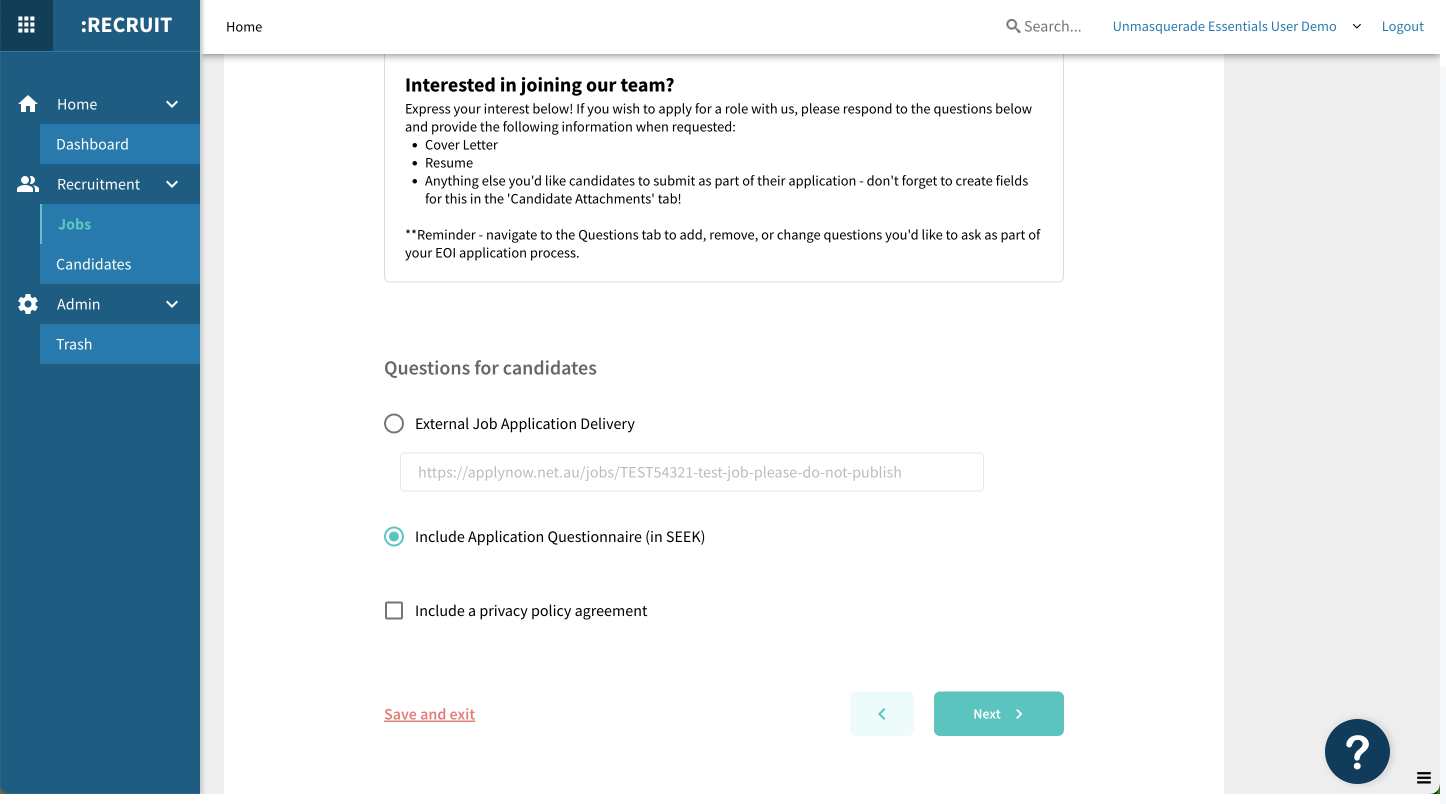
However, our SEEK integration allows you to include the screening questions you’ve created for a job in Essentials within your SEEK job ad. This way, candidates can answer your screening questions upfront! No logins, no frustration.
Step-by-step
Login to :Recruit Essentials. In the left-hand navigation panel, select “Jobs” then click through to the job you want to set up. Navigate from “General” to “SEEK Integration” in the grey navigation bar below the job number. From there, include your screening questions and scroll down to select “Include Appication Questionnaire (in SEEK)”. Don’t forget to click “Update” before you click away!