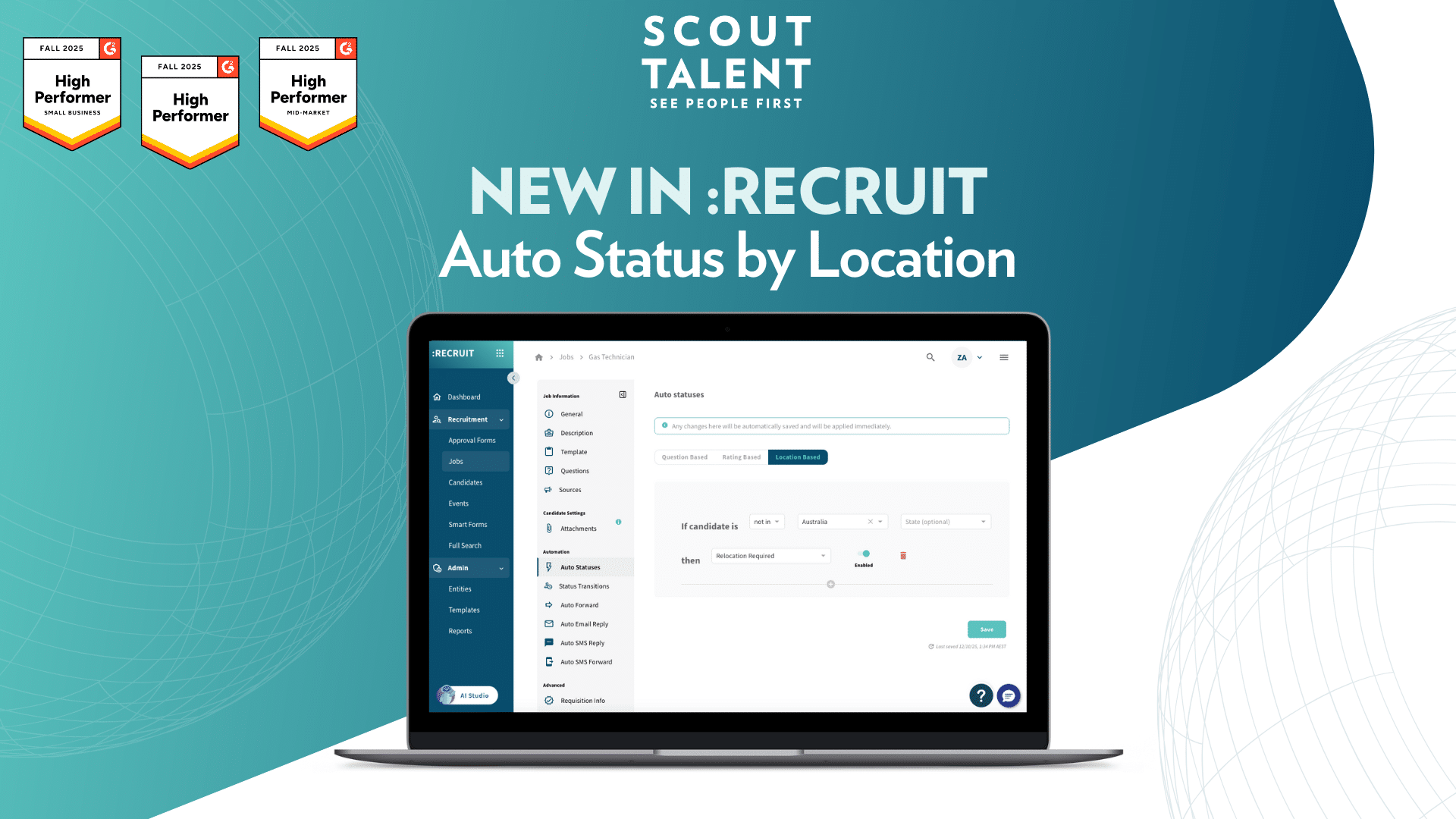
New in :Recruit: Auto Status by Location

Automate Your Screening Workflow easier with Auto Status by Location

Candidate location often plays a key role in recruitment decisions, especially when relocation, visa requirements, or region specific hiring policies are involved.

Manually reviewing every candidate’s location and applying statuses one by one can slow down your workflow and lead to inconsistencies.

Today, we’re launching Auto Status by Location to help your team automate how candidates are categorised based on where they live.


What’s New in a Nutshell

  • Automated status assignment: Automatically assign statuses like “Relocation required” or “Ineligible” based on the candidate’s country or state
  • Flexible location based rules: Create simple rules using “In” or “Not in” logic for any country and optional state or region
  • Consistent screening: Ensure every candidate is evaluated against the same location criteria the moment they apply

Input for auto-status by location


What This Means For Your Team

Auto Status by Location strengthens your recruitment workflow in three key ways:

  • Faster, More Accurate Screening: Instead of reviewing address details manually, candidates are automatically flagged the moment they apply. This ensures consistent decision making and saves time across your hiring team.
  • Clearer Prioritisation: Whether you cannot support international applicants or need to identify interstate candidates early, location based rules help you prioritise candidates who meet your geographic criteria.
  • Reduced Risk of Missed Information: Relocation needs or location constraints can easily be overlooked. Auto Status ensures these details are captured and surfaced without manual intervention.

A Deeper Dive: How Auto Status by Location Works

Auto Status by Location lets you create rules that follow a simple structure:

If candidate is [In/Not in] [Country] [State (optional)] then [Status].

These rules automatically apply statuses to new candidates based on their listed location.

Example scenarios

  • A strong candidate applies from a different state and should be flagged with “Relocation needed”.
  • An international applicant applies for a role that cannot support visa sponsorship and should be marked “Ineligible”.
  • Candidates within a specific hiring region can be auto flagged as matching location requirements.
  • You can add multiple rules for the same job, allowing a tailored and scalable approach to location based screening.

How to Get Started

  1. 1
    Open the Job Edit page for any job and navigate to the Auto Statuses section
  2. 2
    Select the Location Based tab
  3. 3
    Click Add new status and complete the sentence: “If candidate is [In/Not in] [Country] [State (optional)] then [Status]”
  4. 4
    Add as many rules as needed, then toggle Enabled to activate location based auto statuses for the job

Frequently Asked Questions (FAQ)

Do location rules replace my existing Auto Status rules?

No. Location based rules run alongside your existing Auto Status rules. Each rule triggers independently based on candidate data and will be triggered on submission in the following order Question Based, Ranking Based, Location Based

What happens if a candidate’s address is incomplete?

Rules only trigger when the relevant fields (country and optional state) are populated. If location information is missing, the rule will not fire until the data is completed.

Can I create multiple location rules for the same job?

Yes. You can create as many rules as needed to cover your hiring criteria. Each rule works independently.

Will location rules override statuses applied by automation?

The most recently triggered rule determines the candidate’s current status. Location rules will only apply on a newly submitted application and do not override any subsequent automations.

Can we base rules on cities/suburbs?

Not at this time. Auto Status by Location supports country and optional state, region or province.


Ready to streamline your location based screening?

Auto Status by Location helps your team automate early qualification, reduce manual screening effort and ensure candidates are categorised consistently based on where they live.

Get started with Auto Status by Location today and improve the accuracy and efficiency of your recruitment process.

For setup help or best practice guidance, contact our Customer Success team

Related posts

Quality of Hire: A Holistic Approach to Long-Term Hiring

Tags
Share this blog
Sign up for our newsletter

Receive the latest industry news, exclusive event invites, and useful content straight to your inbox.

Related posts

Quality of Hire: A Holistic Approach to Long-Term Hiring

What Is Candidate Conversion Rate and How Do You Improve It?

For the Love of the Game: How Recruiters Can Fall Back in Love with Recruiting

Why Choose Scout Talent

“I’m aware of the silly tricks that those in the industry play, which is why we use Scout Talent instead of an agency! We’ve actually done A/B testing on Scout Talent vs a recruiter, and the quality was chalk and cheese- no kidding, you can quote me.”

– Melissa Kirby
Sharpe and Abel

Our Total Talent Acquisition Software

Recruitment Campaign Services
The right mix of expertise, structure, and care, our recruitment campaigns make hiring faster, easier, and more cost-effective

Employer Branding
Position your company as an employer of choice with a strong employer brand

Employee Engagement Surveys
Gain insights on how your people feel at work so you can boost performance, retention, and culture

Recruitment Process Outsourcing
Expert recruiters and proven processes to hire top talent efficiently and more cost-effectively

Learning Services
We design customised digital training, delivered through a powerful LMS that streamlines, tracks, and measures learning—building skills and boosting performance.

Key Benefits

Expert-led campaigns crafted with strategy and care to connect you with the right people quickly, easily and cost-effectively.
Combine authentic employer branding with engagement insights to create workplaces where top talent wants to belong and stay.
Access seasoned recruiters who work inside your business—bringing flexibility and proven processes without the cost or risk of extra headcount.
Show candidates and employees you invest in their future with development pathways that make your organisation a magnet for great people.
Why Choose Scout Talent

“I’ve been a user of Scout’s software for many years, working with both the full enterprise solution :Recruit and the lite :Essentials platform. I appreciate that Scout offers fit-for-purpose options to suit different business needs.


Scout’s ATS has been instrumental in driving efficiency and productivity. In a previous project …This transformation saved our team significant time… and eliminated room for error with its intuitive workflow and transparent features.


It’s a fantastic product, and we couldn’t be happier with the results.”

– Wendy Woodford
People and Culture Manager
Housing Trust

Our Total Talent Acquisition Software

:Recruit
Your AI-powered total talent acquisition ATS and CRM solution

:Recruit Essentials
Your AI-powered Lite version of :Recruit tailored for small organisations

:Onboard
Your digital contract creation

:Recruit Pro
Your AI-powered :Recruit + :Onboard, backed by human expertise, tools, analytics, and specialist support

:Engage
Your recruitment marketing and candidate pooling platform

Scout Learning
Your customisable LMS with specialist support

Scout Talent App
Your mobile application helping you hire on the go

Felix
Your AI-powered talent acquisition assistant

Key Features

Post once, publish everywhere, and track candidates from application to hire in a single platform.

Leverage AI to screen faster, uncover hidden talent, and craft compelling job ads that attract the right candidates.

Make confident hiring decisions with dashboards that highlight pipeline health, recruiter performance, and ROI.

Connect with job boards, HRIS, payroll, and more, keeping your recruitment process fluid and connected.